Essora Project · October 21, 2026
Essora Eos SonicDE
A new home for X11. A modern desktop, built the Essora way.
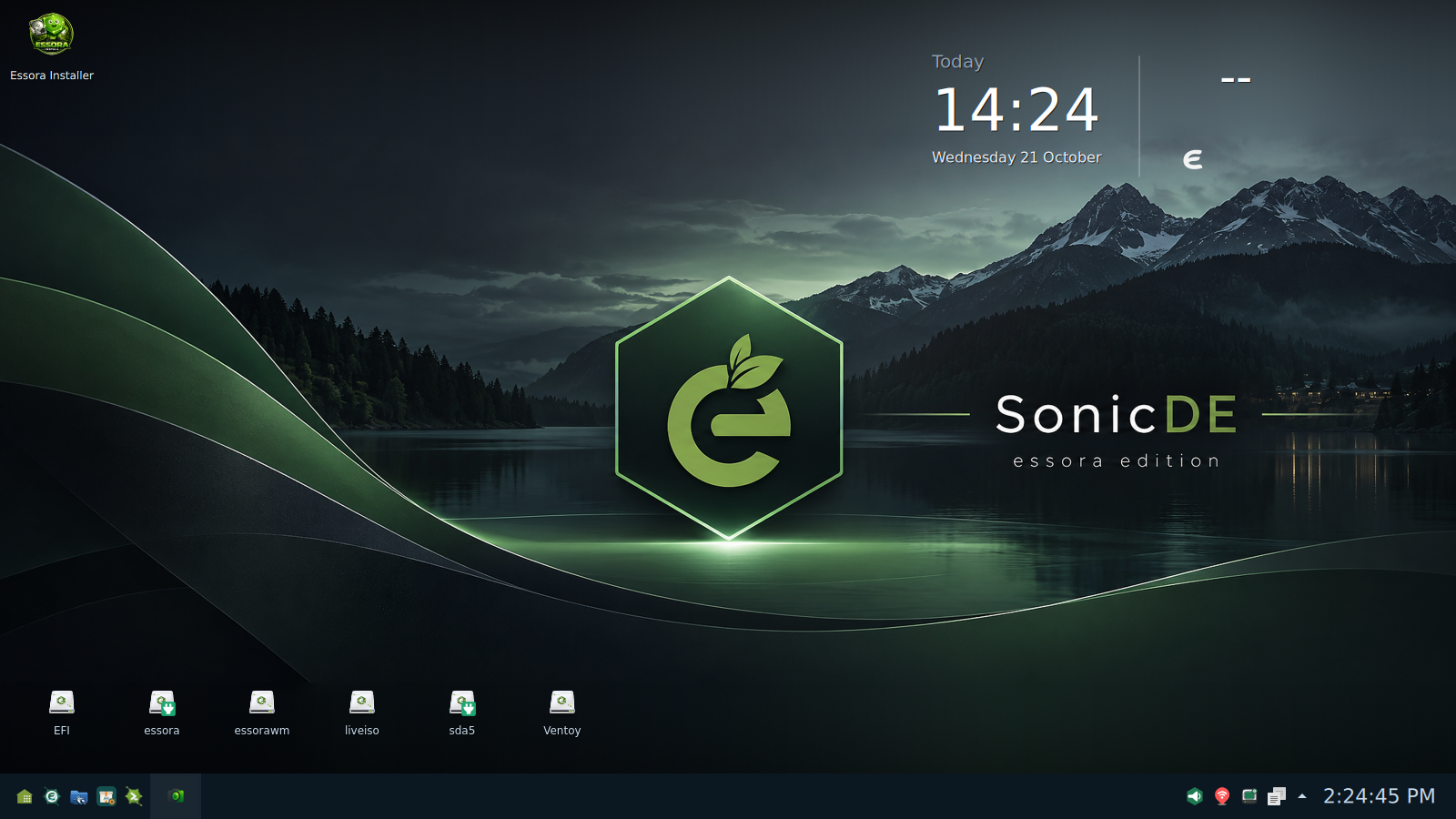
Essora Eos SonicDE brings together two projects with a clear commitment to the X11 desktop: SonicDE, a community-driven desktop environment derived from KDE Plasma 6, and XLibre, a community-developed X11 server. Essora builds on that foundation with its own system integration, kernel, visual identity and applications.
The result is a desktop that feels complete without surrendering the Essora philosophy: choose the right components, avoid unnecessary duplication and keep the user in control. This edition is not about making a smaller imitation of something else. It is about making a desktop that belongs to Essora.
Essora Eos SonicDE combines a capable Qt6 desktop with a deliberately selected set of Essora tools — including a lighter alternative to Dolphin and an optional, configurable drive-icon layer.
SonicDE and XLibre — a desktop with a clear direction
SonicDE is a community-maintained fork of the Plasma 6 desktop family, focused on preserving and developing a first-class X11 experience while remaining independent of any single init system. Its own desktop components include Sonic Workspace and sonic-win, the X11 window manager and compositor. It offers a familiar, full desktop experience without requiring Essora to adopt a Wayland-only direction.
Underneath it, XLibre provides the display-server foundation. XLibre continues the development of the X11 server through community maintenance, compatibility work and improvements to the graphics stack. Essora deliberately brings the two together rather than treating X11 as a legacy fallback.
- SonicDE: desktop shell, panel, workspace and session components.
- sonic-win: window management and compositing for the X11 session.
- Qt6: the application and desktop toolkit powering SonicDE and ROX-Filer2-Qt.
- XLibre: the X11 display server used by the edition.
- Essora integration: system utilities, applications, themes and desktop choices designed to work together.
Essora is more than a different desktop on Devuan
This edition follows the same independent-build approach as Essora Eos. It is not simply a stock Devuan installation with SonicDE added on top. Essora is assembled through its own build process, starting from a minimal BusyBox-based foundation and adding carefully selected system components and its own kernel. It uses packages from Devuan Excalibur as part of its software ecosystem. That distinction matters: the packages help supply the system, but the desktop integration and direction are Essora's own.
The system remains systemd-free, with the software stack chosen to support the project's design. The SonicDE edition also uses Essora's Qt6 build and its dedicated desktop components, rather than relying on a collection of unrelated configuration tools to deliver the whole experience.
| System | Essora Eos GNU/Linux, independently assembled |
|---|---|
| Package ecosystem | Devuan Excalibur packages, APT/dpkg and Flatpak support |
| Kernel | Essora Kernel |
| Graphics | XLibre (X11) |
| Desktop | SonicDE, Sonic Workspace and sonic-win |
| Toolkit | Qt6 for the SonicDE desktop and ROX-Filer2-Qt; GTK3 for selected Essora applications |
| File manager | ROX-Filer2-Qt instead of Dolphin |
| System applications | Essora Control Center, Essora package tools, Essora Office and Essora Browser |
No Dolphin. ROX-Filer2-Qt, built for Essora SonicDE.
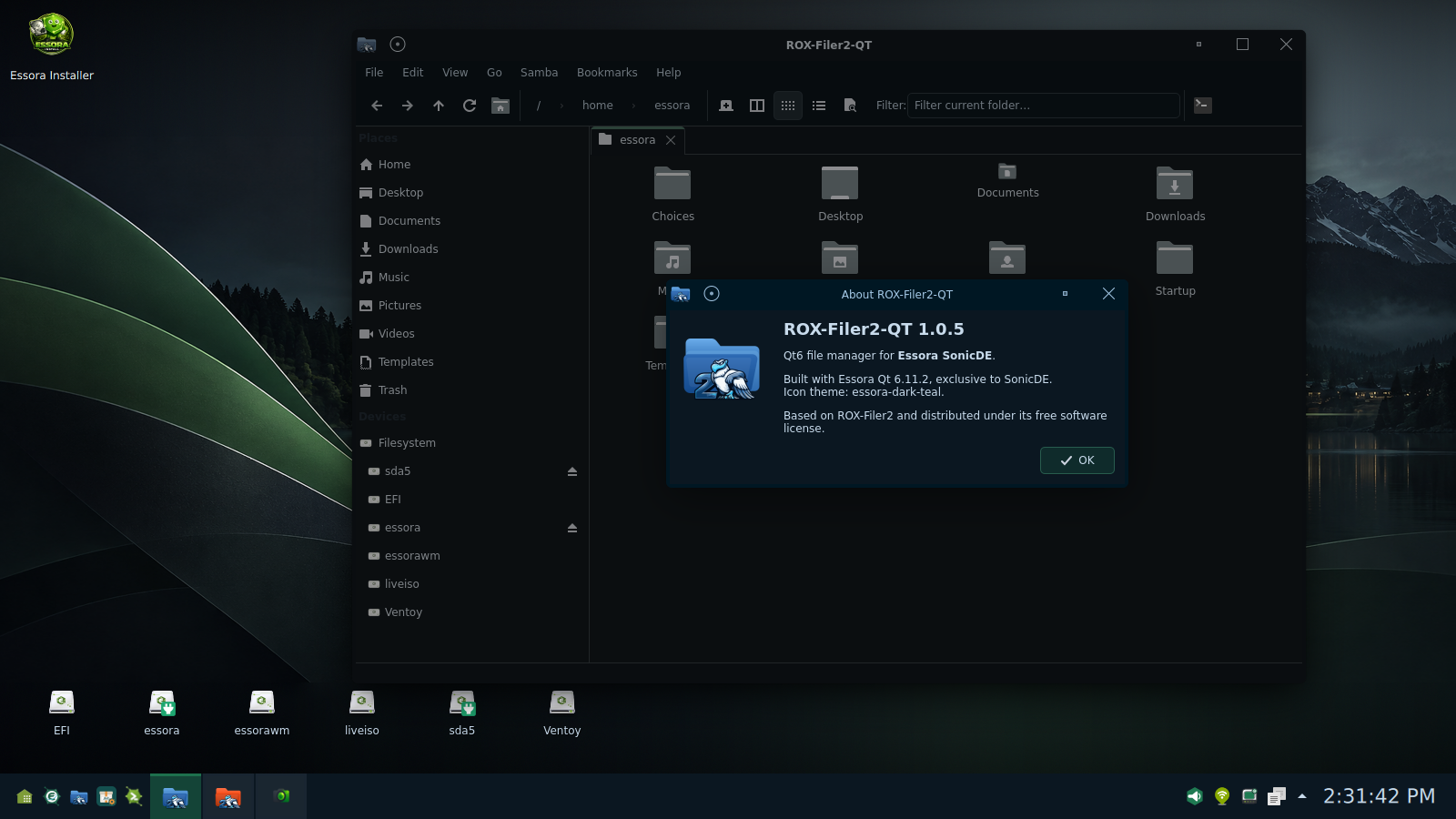
Dolphin will not be included in this edition. That is an intentional decision, not a missing package. Essora uses ROX-Filer2-Qt, its own Qt6 adaptation of ROX-Filer2, as the primary file manager. The goal is a more focused and lightweight approach, without giving up the features people expect from a modern file manager.
ROX-Filer2-Qt preserves the practical spirit of ROX while bringing a more contemporary interface and deeper integration with the SonicDE desktop. Its ongoing development includes improvements to everyday navigation, storage handling and file operations.
- Tabs and a modern navigation toolbar for working across multiple folders.
- Breadcrumb navigation, a places sidebar and quick filtering to find what you need with less friction.
- Devices and partitions visible directly in the file manager, with mount and unmount controls.
- Mounted image visibility: options for displaying mounted ISO, SFS and IMG volumes alongside other devices.
- File operations and drag-and-drop with copy, move and link workflows.
- Samba-related options for working with network shares.
- Qt6 and SonicDE integration with a native-looking interface and an Essora-focused development path.
The objective is not to claim that ROX-Filer2-Qt has every Dolphin feature. It is to deliver the file-management features that matter to this edition, with a smaller and more direct approach. Its development is active, and more improvements are planned.
Desktop drive icons — your desktop, your choice
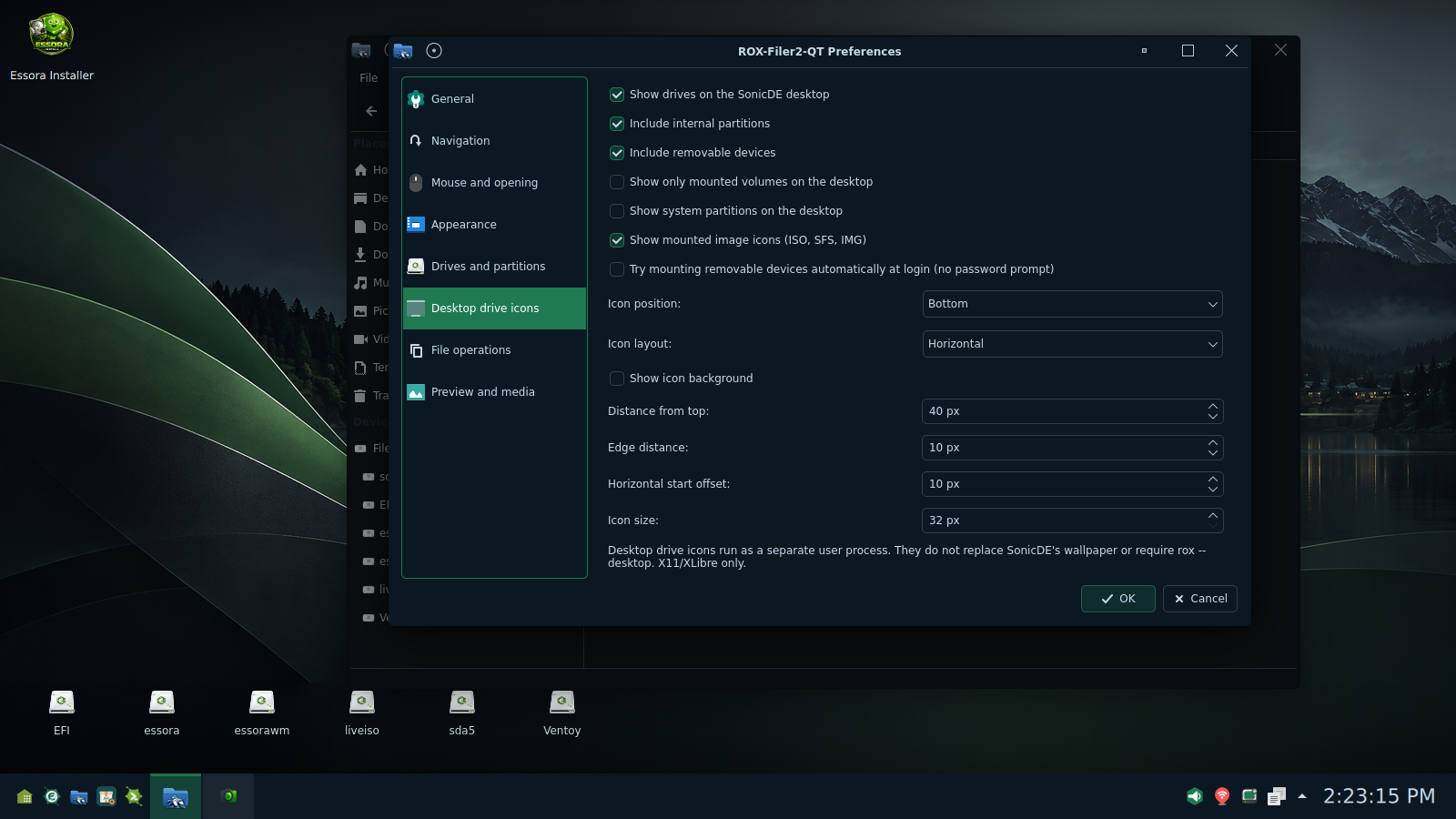
One of the most useful Essora additions is the optional desktop drive-icon feature managed by ROX-Filer2-Qt. It lets you access drives directly from the SonicDE desktop without having to turn ROX-Filer2 into the desktop background manager. The icons run as a separate user process; SonicDE keeps control of the wallpaper and desktop itself.
From the preferences window, you can decide exactly how those icons should behave:
- Show or hide drive icons on the SonicDE desktop.
- Include internal partitions and removable devices.
- Display only mounted volumes, or include selected other volumes.
- Choose whether system partitions and mounted ISO, SFS or IMG images appear.
- Place the icons at a preferred screen edge and arrange them horizontally or vertically.
- Adjust icon size, spacing, offsets and icon-background appearance.
Nothing is forced. Keep convenient drive access on the desktop, customize it to your workflow, or remove those icons entirely and enjoy a clean SonicDE workspace.
Essora Control Center — a consistent place to make it yours
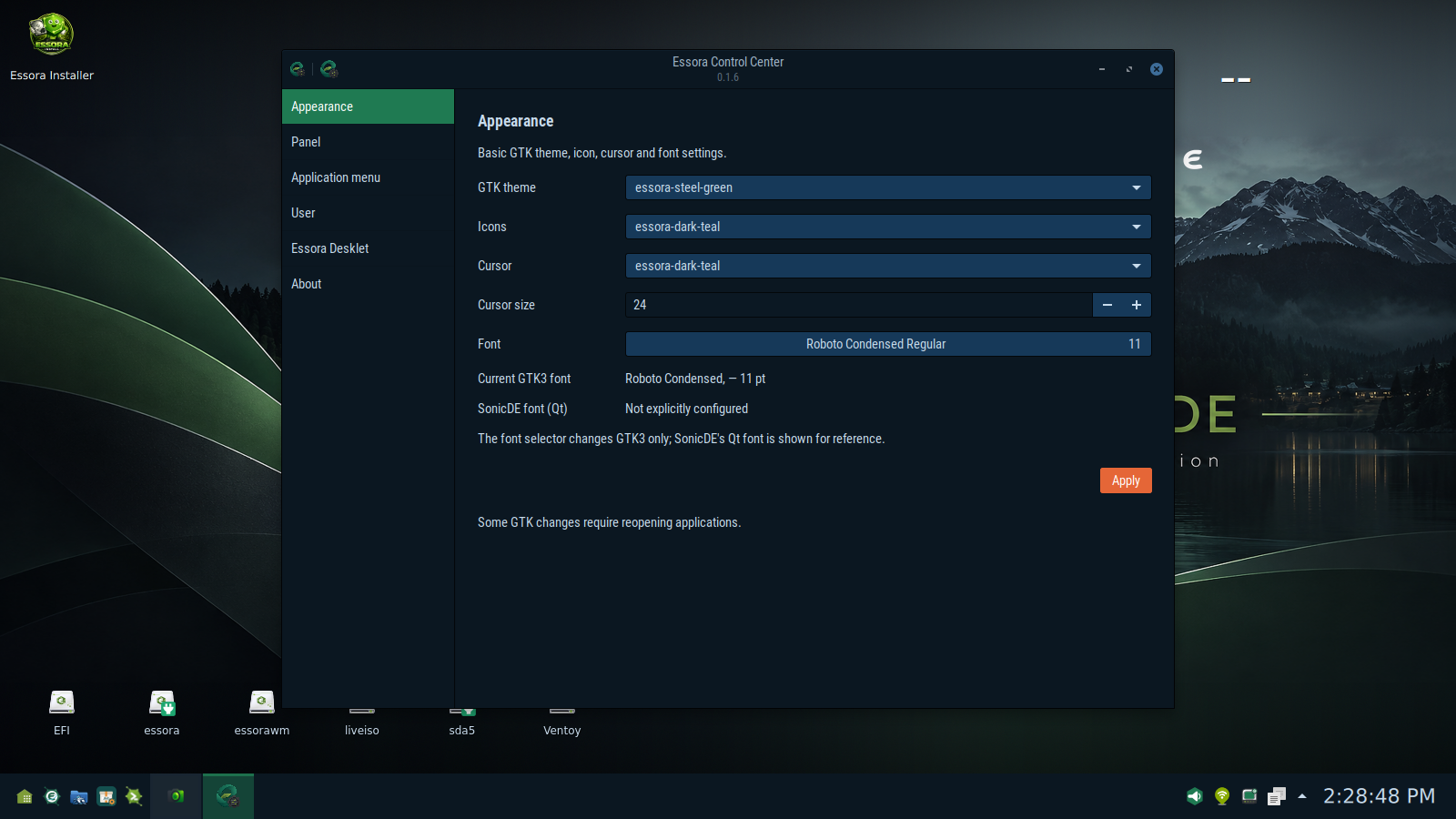
Essora's identity should be visible without taking control away from the user's selected theme. Essora Control Center offers accessible settings for appearance and desktop-related components, including GTK themes, icons, cursors and fonts. The interface also provides sections for the panel, application menu, user settings and Essora Desklet.
The edition ships with an Essora visual identity, but that is a starting point rather than a restriction. The user can customize the look and feel while retaining the integration between the desktop and Essora applications.
Software management — APT/dpkg and Flatpak
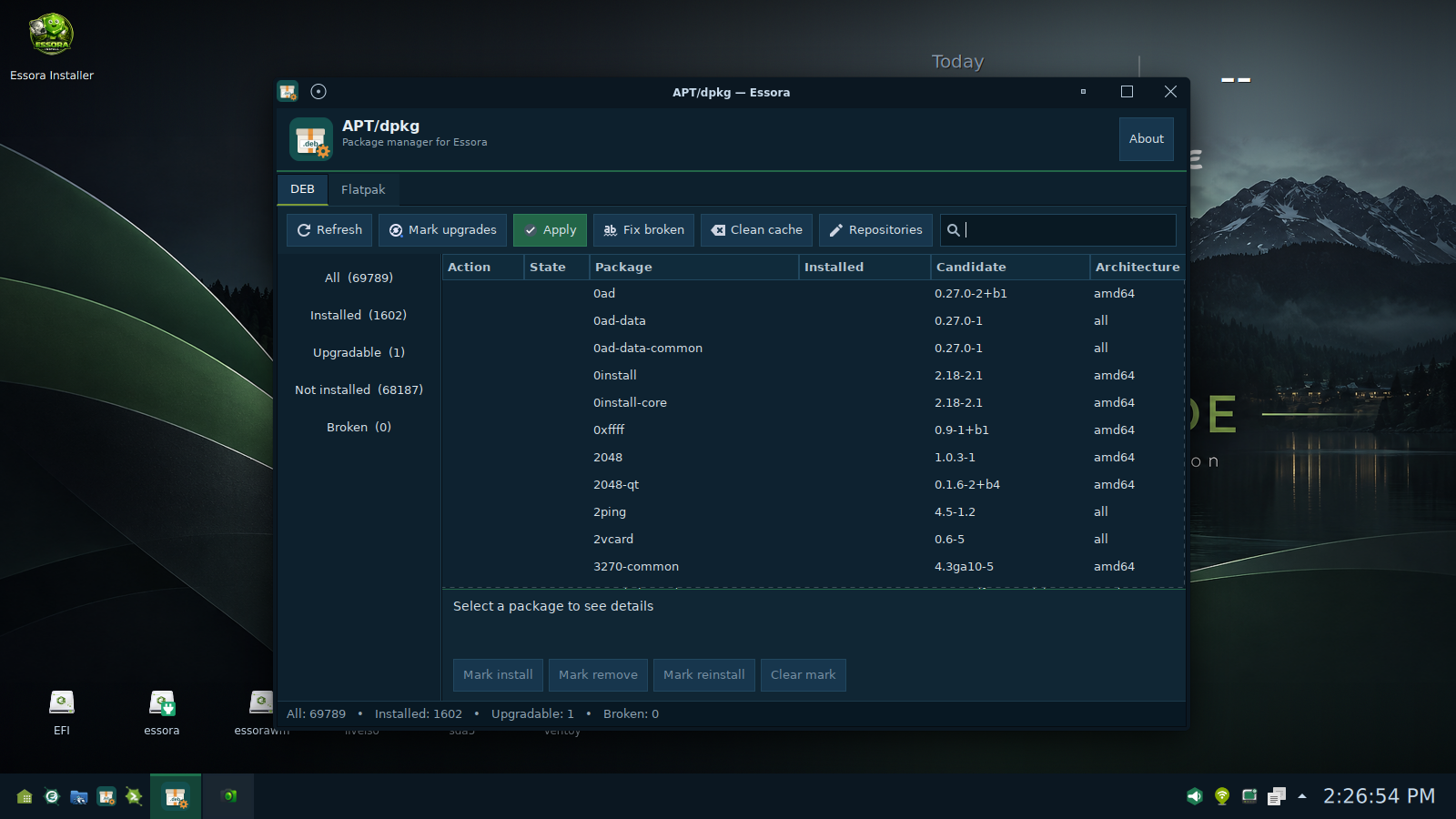
Essora does not ask users to abandon standard GNU/Linux package management. APT and dpkg remain central to managing Debian-format packages, while Flatpak provides another way to install applications. The Essora graphical interface brings common package tasks into one place, including package status, upgrades, repositories and maintenance actions.
Essora Office — everyday work, inside the Essora ecosystem
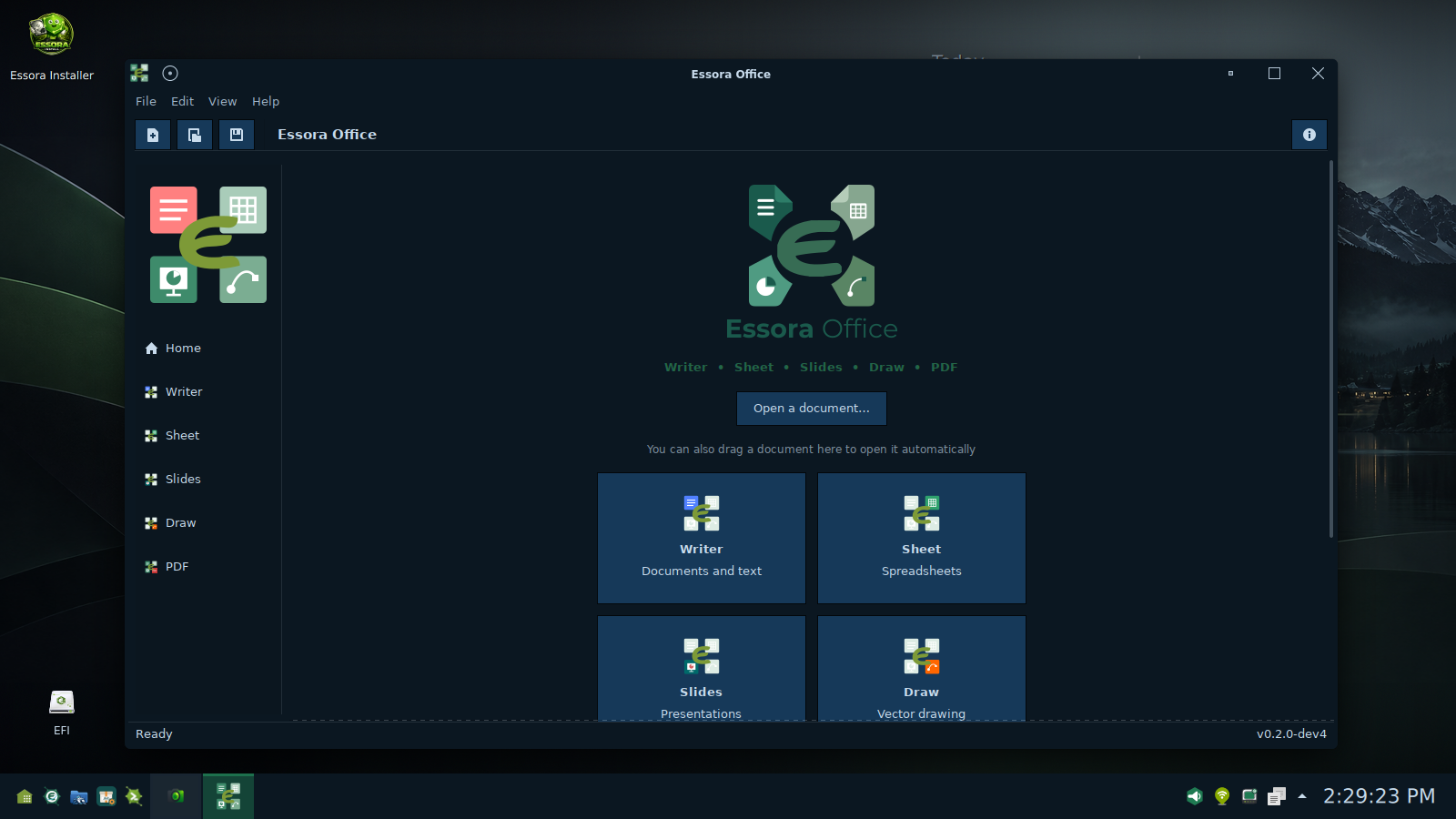
The software experience extends beyond desktop configuration. Essora Office is part of the project's own application ecosystem, bringing together tools for documents, spreadsheets, presentations, drawings and PDFs. It is an actively developed project, built around the idea that everyday functionality should feel consistent with the system.
Essora Browser — built around the modern web
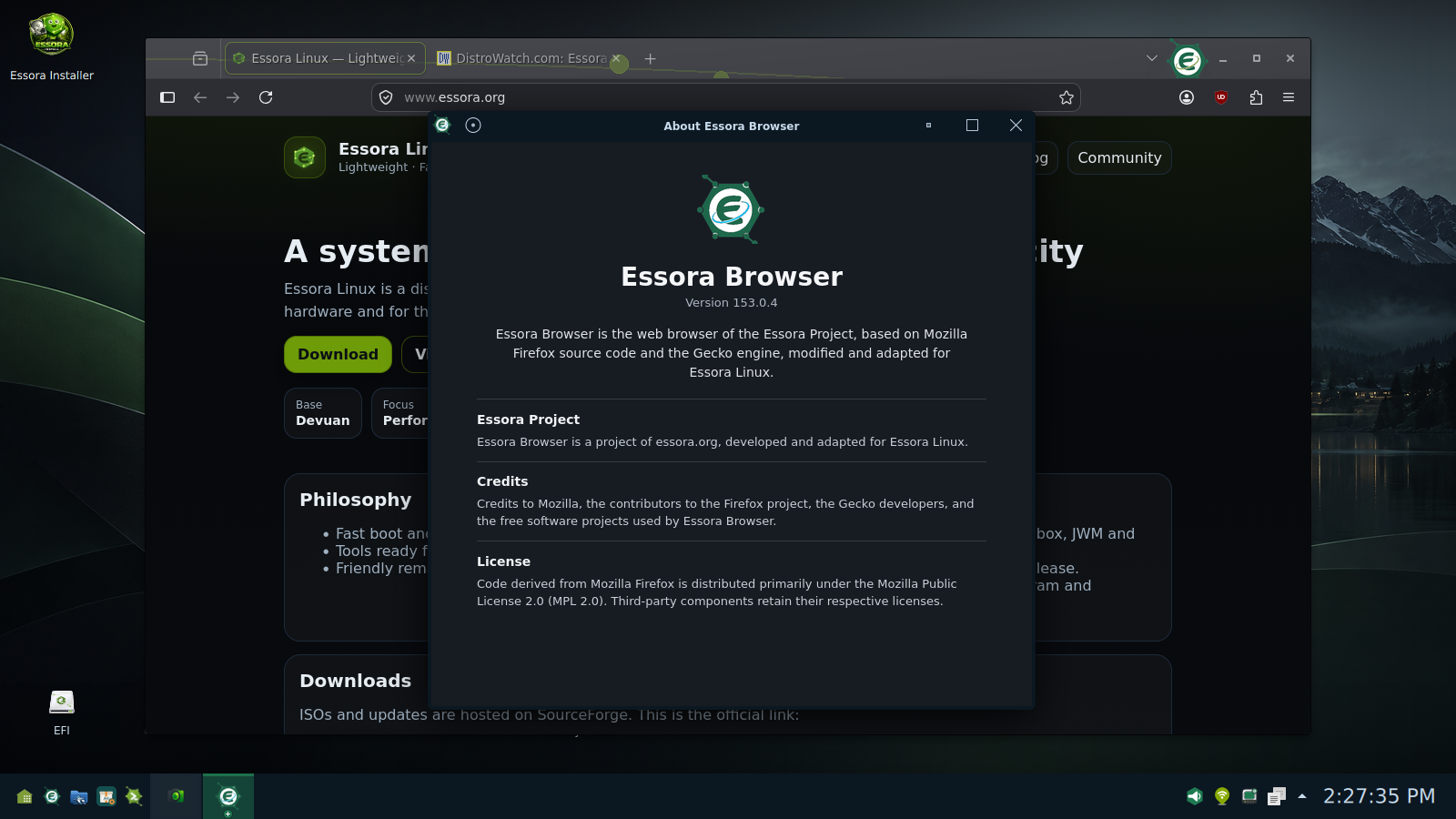
Essora Browser continues the same approach: a familiar application foundation, adapted to fit the Essora environment. Based on Mozilla Firefox and Gecko, it provides modern web compatibility with Essora-specific presentation and integration.
One desktop, one direction
The interesting part of this edition is not any single component. It is how the pieces work together. SonicDE provides the full desktop. XLibre provides X11. ROX-Filer2-Qt handles file navigation and optionally the drive icons. Essora Control Center, the software manager, Office and Browser form a growing set of system applications. Each part has a purpose, and the user can choose how much of it to use.
Essora Eos SonicDE in pictures
Thank you, XLibre and SonicDE
Our sincere thanks to the developers and contributors of XLibre and SonicDE. Their work, persistence and commitment to open development make projects like this possible. XLibre is giving the X11 server an active community-driven future, and SonicDE is demonstrating that a capable, modern desktop can continue to take X11 and init-system independence seriously.
Essora builds on that work with respect for the upstream projects and their contributors. This edition would not exist in its current form without their efforts. Thank you for the excellent work you are doing for free software.
What makes this edition different?
A capable desktop does not need to dictate every application or workflow. In Essora Eos SonicDE, SonicDE brings the desktop experience, XLibre keeps X11 at the center, and Essora chooses how the remaining pieces fit together. Replacing Dolphin with ROX-Filer2-Qt, making desktop drive icons optional and keeping system tools under the Essora umbrella are practical examples of that idea.
Modern where it matters. Lightweight where it makes sense. Free to use, configure and explore.
Download Essora Eos SonicDE
Discover Essora Eos SonicDE and follow the ISO releases on SourceForge.
Download on SourceForgeMD5 6291fdf8baa80646529fe789ef1d66c6.
The direct ISO link will be added when the release is available.
Help more people discover Essora
Essora is an independent project. If you find its approach interesting, share the release, give it a try and help other GNU/Linux users discover it.
Find Essora on DistroWatch